Hi,
Thanks, I'll try it.
Hi
Here are links they've sent me for you to check:
Authenticate an IMAP, POP or SMTP connection using OAuth
How to connect to Office 365 with IMAP, Oauth2 and Client Credential Grant Flow
Thanks
Hi, from
customer’s IT administrator
Tell them it's about OAuth2 Microsoft 365
Thanks.
Thank you. Perhaps it’s best if I describe our situation so you can advise us on the best way to proceed.
We installed the application at the customer’s site and have access to a Windows Server 2016 machine and IIS. The server does not have internet access.
In order to send emails from the application, the customer’s IT administrator asked that our application be registered as a user via OAuth2 so we can send mail.
We need guidance on how to configure email OAuth2 authentication for Microsoft 365.
It seems that the AI’s “Answer A” is what we need.
What is the correct format for the callback (redirect) URL — we use all default values?
Ah, I see what I did wrong, thank you for the screenshot! I’d set the base language to English and the target to Serbian, so i was trying to translate from English into Serbian instead of the other way around. I’ve now corrected the base to Serbian, and it is working. Thanks for help, Maliming.
hi
The purpose is to have a translation in Serbian for all our users (tenants) for abp resources. For example the Switch button on the login page.
This is two tables in Host:
In AbpLanguages i have this two:

In AbpLanguageTexts I translated them directly in the app as a Host using Language Management
 AbpLanguageTexts for tenants are empty.
I understood that MyDynamicResourceLocalizer will translate everything from host to tenants and that when i login as a tenant we have it translated from host AbpLanguageTexts and this works but it doesn't translate everything using MyDynamicResourceLocalizer.
You can test like this:
Create new app in studio Multitenant, separate database, public web to use redis, add two language english and serbian latin
Login as host, translate switch button using Language Management Create two tenants, and check if switch button is translated.
Ok i hope i describe it now good :-)
Thx.
LeptonX Side Menu Does Not Load Collapsed State on Page Load
The left side menu always appears open when a page is loaded, even if the user had previously collapsed it. It seems the value from local storage (lpx:side-menu-state) is not being read and applied during initialization.
Every time the page is opened or refreshed, the side menu is displayed in the expanded state, regardless of the previously saved preference.
I created a new project using:
ABP Framework version: 9.2.1 LeptonX Theme version: 4.2.1 MVC / Razor Pages
The same issue occurs in a clean setup.
Fixed in 9.2.2 thx :-)
Issue with Actions Button Disappearing When Using ColReorder in DataTable
Hi
I’m experiencing an issue where the actions button disappears when the ColReorder extension is included in the DataTable.
I added the following scripts, as they were not initially included:
<script src="https://cdn.datatables.net/colreorder/2.0.4/js/dataTables.colReorder.js"></script> <script src="https://cdn.datatables.net/colreorder/2.0.4/js/colReorder.bootstrap5.js"></script>
Additionally, I enabled ColReorder in the DataTable configuration: colReorder: true,
this happend: video
However, after doing this, the actions button disappears. Could you check what might be causing this issue?
Also, would it be possible to include ColReorder support in future package updates?
Thank you!
Best regards
Hi,
I didn’t think about that option 😊. I’ll definitely give it a try!
Thanks!
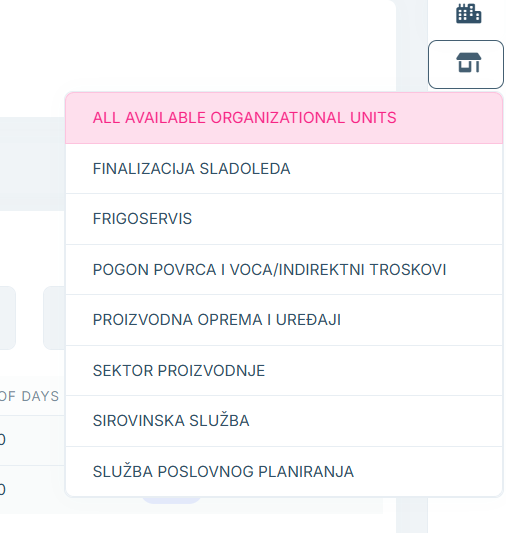
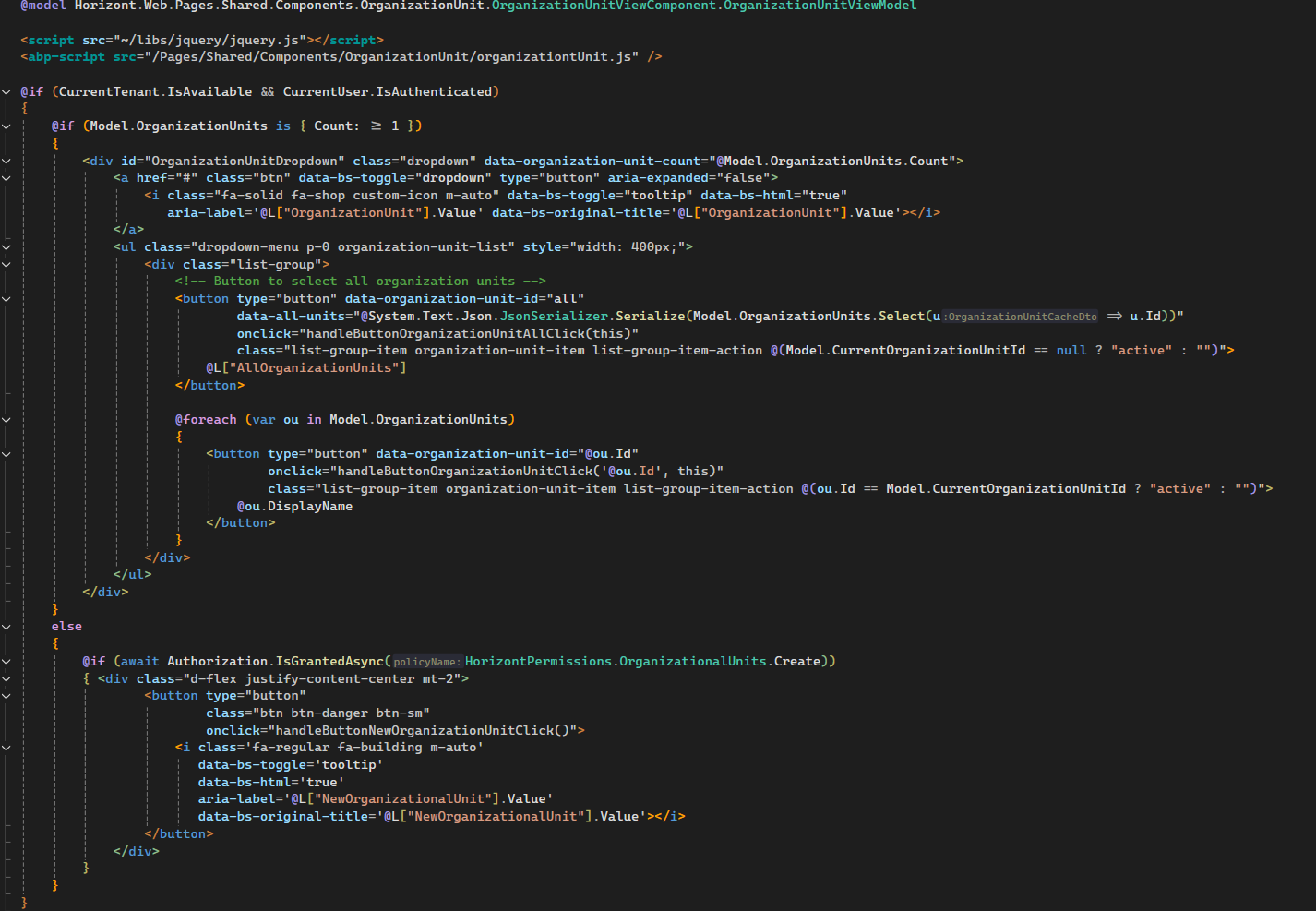
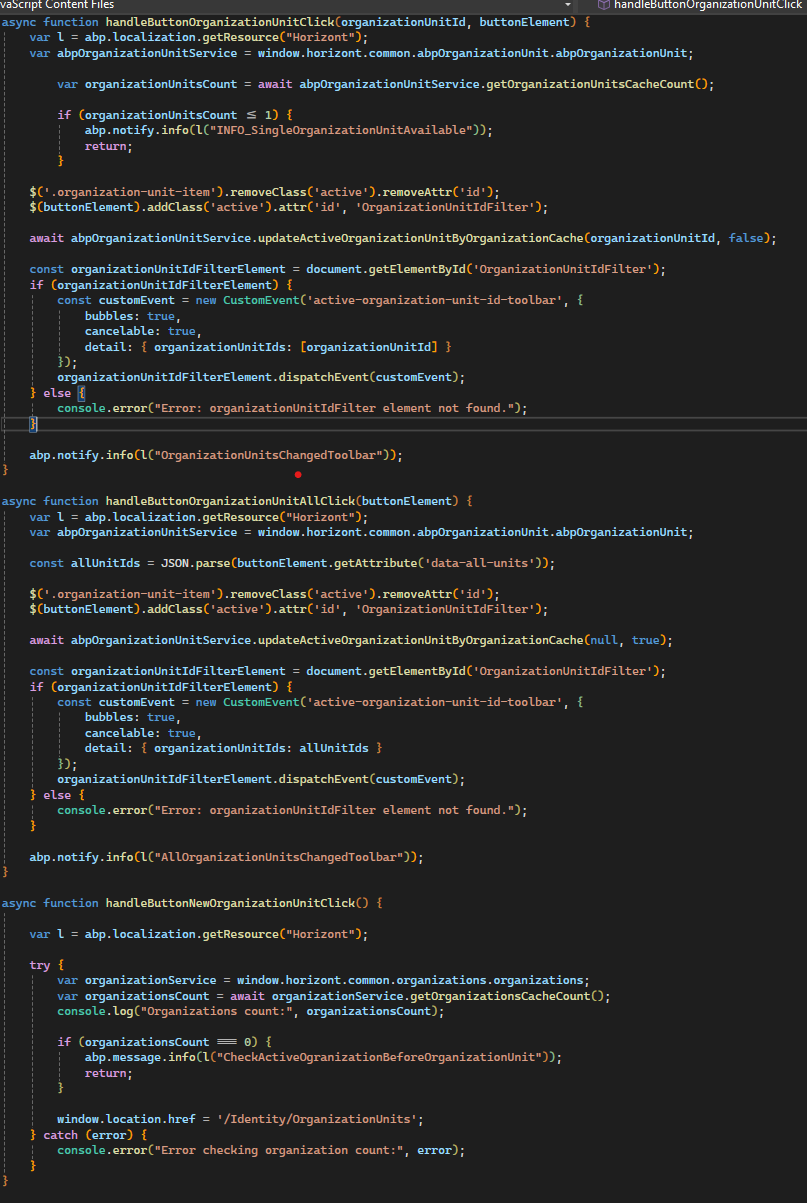
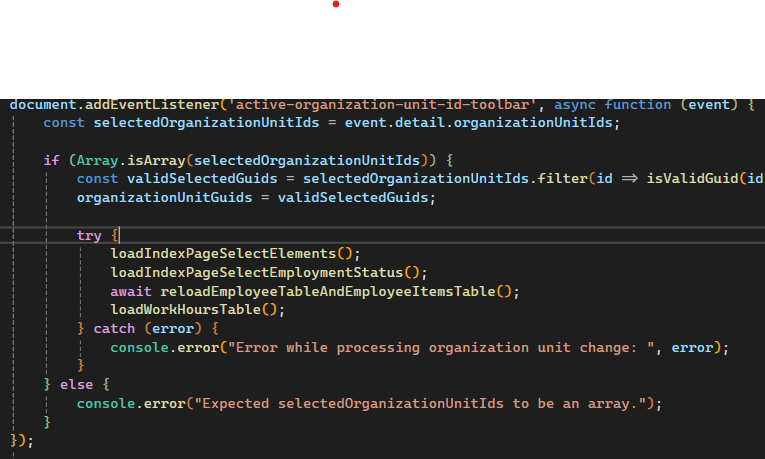
Yes thx, just a bit of additional context: I didn’t fully implement Mailming’s approach with filtering at the DbContext level. Instead, I applied the filtering directly on the page where it’s needed. This approach avoids reloading the page every time the user switches the organization. Instead, I dynamically filter the data table and other relevant elements, which works great for our needs.
In terms of business logic, when a new tenant is created, the user needs to create an Organization Unit and assign users or roles to it before they can proceed with their work. Typically, this setup happens only once when the application is first configured and is rarely changed after.
View component:
Usage:
Final: