hi,
The problem has been solved
thank you
Uninstalling and reinstalling doesn't work either. The abp.studio.extensions.standardsolutiontemplates directory has also been deleted.
When I execute the abp command, it keeps looping and prompting that the nuget package cannot be found. Please check what the problem is. Thanks.

hi,UI type is MVC. Is it possible that there is a problem with adding an existing solution?
When importing the old project, the **type **was automatically set to 5. After I manually changed it to 2, the Guid type can be selected normally.
I'm glad that you can select the
Guidtype now. I will test this scenario, thanks.
thanks @EngincanV
Hi, what is your UI type? Currently, we don't support
CharandGuidtypes for BlazorUI and when I tested for other UIs I could not reproduce your problem.
hi,UI type is MVC. Is it possible that there is a problem with adding an existing solution? When importing the old project, the **type **was automatically set to 5. After I manually changed it to 2, the Guid type can be selected normally.

hi ,Yesterday we upgraded to version v7.4.0 and couldn't select the Guid type when generating entities.
but in version 7.4.0.rc4, it is optional.

Hi, I have created an internal issue for your findings related to nullable warnings on Suite-generated codes.
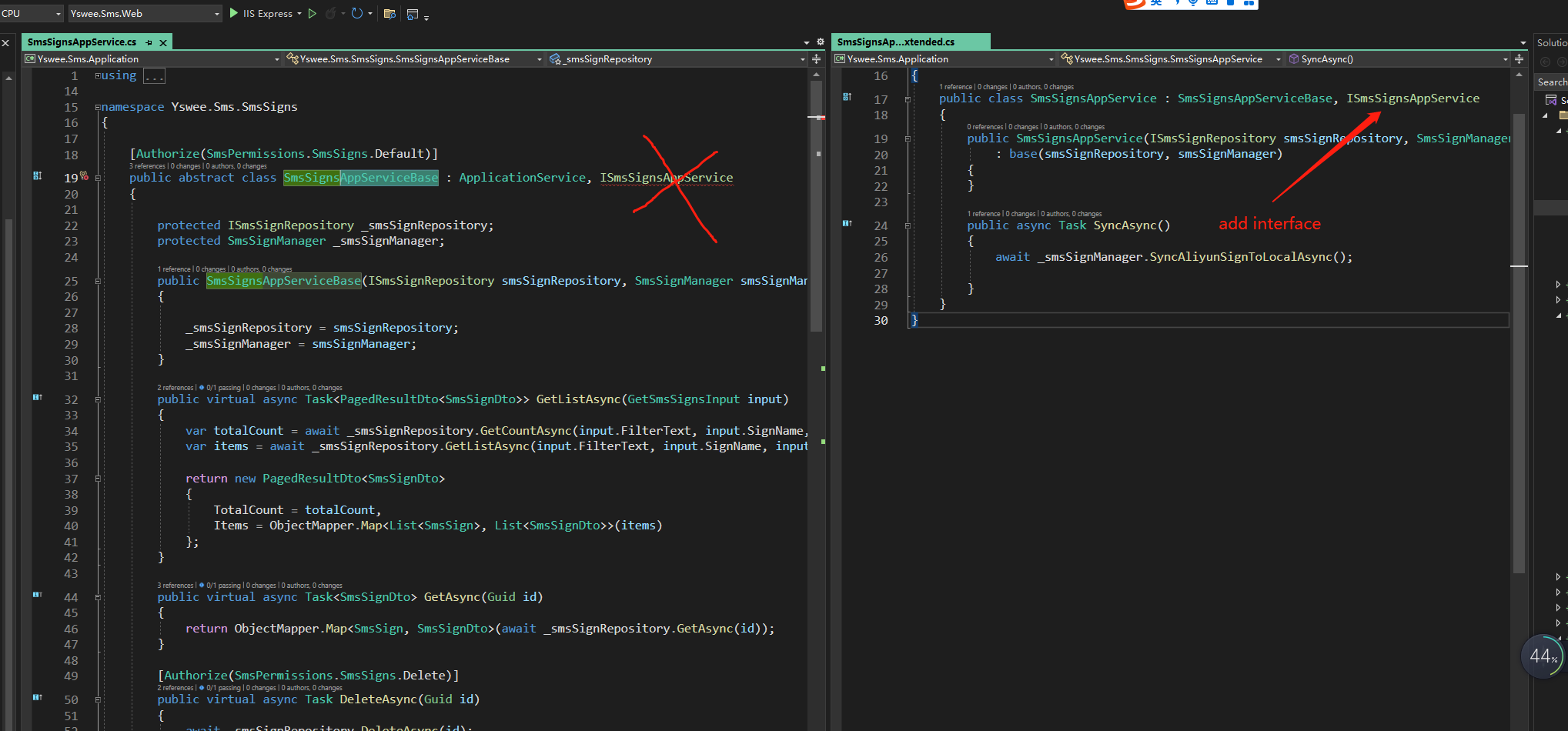
In the ABP Suite generated code,Application Service Extended.cs Should inherit interface ,not in AppServiceBase.
This is fixed with v7.4.0-rc.2. Thanks again for reporting the problem.
hi, the same problem also exists in entityFramework layer.
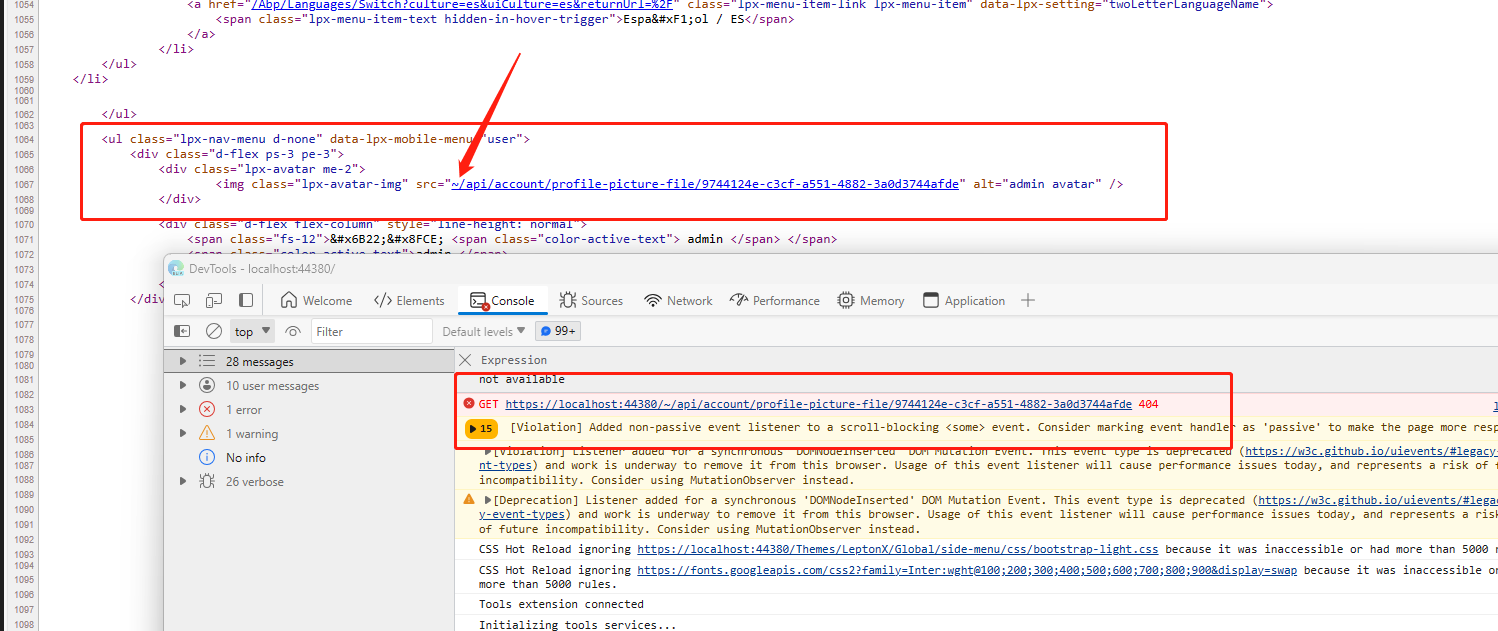
in the leptonXtheme , user avatar path 404.
Hi, I have created an internal issue for your findings related to nullable warnings on Suite-generated codes.
In the ABP Suite generated code,Application Service Extended.cs Should inherit interface ,not in AppServiceBase.
This is fixed with v7.4.0-rc.2. Thanks again for reporting the problem.
thanks @EngincanV
In the ABP Suite generated code,Application Service Extended.cs Should inherit interface ,not in AppServiceBase.